` are typically when using a GPML file and when the GPlates property is a single number (eg, `gpml:averageAge`) - some GPlates properties are more complex (eg, `gpml:validTime` which is actually two numbers, the begin and end times) and cannot currently be accessed in the colouring dialog (eg, as `gpml:validTime.begin`).
> [@kdemoree](#):
>
> Here is the CPT file
Thanks, your CPT file is fine. I believe the issue is due to the point Christian made above.
> [@kdemoree](#):
>
> Even the sample colouring schemes which I have not touched appear the same. This has happened before, but the only way I could find to fix it was make a new project and re-load all 80 of my layers into it.
That is odd. I would not expect all the ColorByProperty configurations to produce the exact same colours unless they all have the same `property_name` (and same `palette`). I’m assuming you’re using GPlates 2.2. And it sounds like you’re loading a project file (rather than a recent session). Does this only happen when the project is loaded? In other words, if you unload the project (`File > Clear Session`) and then load some features, or if you simply load another project, does it still happen?
---
### Author:  [@kdemoree](https://discourse.gplates.org/u/kdemoree)
#### Post date: [30 June 2021 13:08 UTC](https://discourse.gplates.org/t/colourbyproperty-help/334/7 "2021-06-30T13:08:20Z")
Thank you very much for all the help!
Am I able to colour both Shapefiles and GPML files with one colour scheme? Or can I only specify colours for one file type at a time? As I have both Shapefiles and GPML files displayed, might this be the problem? I only really care about the colouring of the VGPs for now, but it would be nice to be able to specify colours for both VGPs and Shapefiles.
As for the ColorByPropery configurations producing the same colours, I have different palettes loaded for all the different colouring schemes. When I unload he project and load just the VGP’s, all the colouring works except for the ColorByProperty features (they make all the VGP’s appear black). When I re-load the palette for the AverageAge configuration, it turns all the VGPs grey (they all have different average ages in different age ranges). Loading other projects seems to re-set the colouring as well, but again the ColorByProperty still doesn’t work properly.
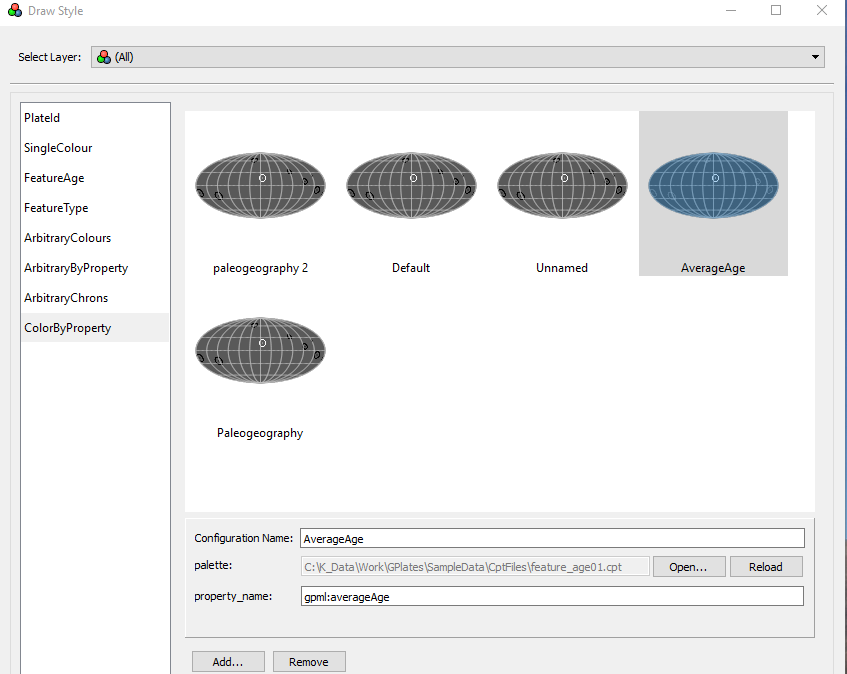
Thank you all again!
Kaitlyn
---
### Author:  [@kdemoree](https://discourse.gplates.org/u/kdemoree)
#### Post date: [30 June 2021 13:18 UTC](https://discourse.gplates.org/t/colourbyproperty-help/334/8 "2021-06-30T13:18:11Z")
Also when I unload all files and then reload the project file, the colouring goes back to being the same for all configurations.
---
### Author:  [@chhei](https://discourse.gplates.org/u/chhei)
#### Post date: [1 July 2021 05:56 UTC](https://discourse.gplates.org/t/colourbyproperty-help/334/9 "2021-07-01T05:56:56Z")
Hi Kaitlyn
> [@kdemoree](#):
>
> Am I able to colour both Shapefiles and GPML files with one colour scheme?
I don’t think that this will work because the GPML files use `gpml:averageAge` as attribute for the colouring whereas the SHP file uses `gpml:shapefileAttributes:averageAge`. So my suggestion would be to generate two configurations using the same cpt file but differing in the attribute name: one for the GPML files, one for the SHP files where you specify the relevant attributes you want to color. Or you convert the files to one filetype - GPML or SHP. You can do a `save as` using GPlates’ Feature Manager (
> [@kdemoree](#):
>
> all the colouring works except for the ColorByProperty features (they make all the VGP’s appear black).
Is this for the SHP or GPML or both?
I struggle to follow your steps in the last paragraph, I’d suggest to start with a fresh session, make sure your coloring works with, both, GPML and SHP, and then add the remaining files. Also make sure that the attribute structure in the SHP files is all the same. Again, there are cases where it might be useful to merge the files to make file handling easier.
AFAIK, the coloring configs should be persistent between sessions.
Cheers,
Christian
---
### Author:  [@john.cannon](https://discourse.gplates.org/u/john.cannon)
#### Post date: [1 July 2021 07:00 UTC](https://discourse.gplates.org/t/colourbyproperty-help/334/10 "2021-07-01T07:00:04Z")
I second Christian’s suggestions.
It would be good to first get your VGPs coloured properly. Which I think they are now (except for maybe not yet working across GPML and SHP, which Christian’s suggestion should help that).
And then we can see if there’s still a problem loading/saving project files - where we will need to figure out what steps result in all ColorByProperty configurations producing the same colours (because that would probably be a bug in the loading/saving of colouring state in the project file).
---
### Author:  [@kdemoree](https://discourse.gplates.org/u/kdemoree)
#### Post date: [2 July 2021 14:09 UTC](https://discourse.gplates.org/t/colourbyproperty-help/334/11 "2021-07-02T14:09:53Z")
Thank you! I have started a new session, and only added in my GPML VGP files. All colouring types seem to work, except my averageAge ColorByProperty configuration. This uses the CPT file I posted above, and all VGPs are grey. I have checked and all VGPs have different averageAge values, so I am still not quite sure why it isn’t working.
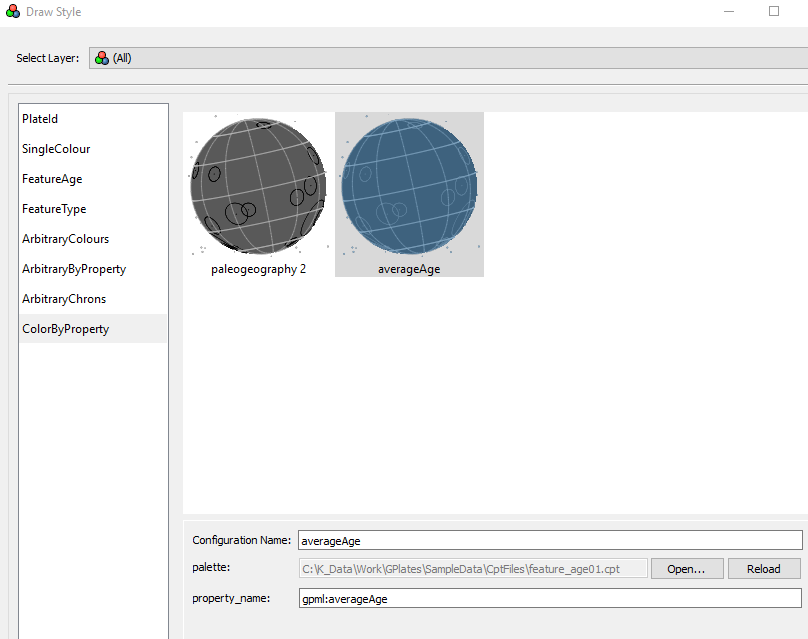
Thank you again,
-Kaitlyn
---
### Author:  [@chhei](https://discourse.gplates.org/u/chhei)
#### Post date: [3 July 2021 07:44 UTC](https://discourse.gplates.org/t/colourbyproperty-help/334/12 "2021-07-03T07:44:25Z")
Hi Kaitlyn,
I’ve quickly checked the `ColourByProperty` styling using the GPlates sample data VGP and CPT files (the same CPT you pasted as screenshot) and all seems to work fine, the VGPs change colour as expected. Not sure what’s going on at your end that this doesn’t work as expected - maybe you could try again, step-by-step using the GPlates sample data files. One issue I could think of which the colouring doesn’t work as expected is that your `averageAge` is outside the range of what is specified in the CPT.
Regards,
Christian
---
### Author:  [@kdemoree](https://discourse.gplates.org/u/kdemoree)
#### Post date: [6 July 2021 12:33 UTC](https://discourse.gplates.org/t/colourbyproperty-help/334/13 "2021-07-06T12:33:50Z")
Hello,
I re-did the tutorial, and it worked fine. I checked, and my average ages are all within the ranges specified.
Regarding the problem where all the colouring stopped working and I had to create a new project file, I have discovered that it occurs when I have my project open along with the Draw Style menu, and am changing a CPT file at the same time.
Another question, can I specify ages which are more than three digits long in a CPT file? ie: 1000 Ma instead of 100 Ma?
Thank you all so much again,
- Kaitlyn
---
### Author:  [@kdemoree](https://discourse.gplates.org/u/kdemoree)
#### Post date: [6 July 2021 12:58 UTC](https://discourse.gplates.org/t/colourbyproperty-help/334/14 "2021-07-06T12:58:10Z")
Hello,
I have re-downloaded GPlates and now the colouring is working (YAY!). I don’t really know why that worked, but it did. Thank you all for your help,
- Kaitlyn
---
### Author:  [@john.cannon](https://discourse.gplates.org/u/john.cannon)
#### Post date: [7 July 2021 13:10 UTC](https://discourse.gplates.org/t/colourbyproperty-help/334/15 "2021-07-07T13:10:39Z")
> [@kdemoree](#):
>
> I have re-downloaded GPlates and now the colouring is working (YAY!). I don’t really know why that worked, but it did. Thank you all for your help
Great! Interesting that re-downloading GPlates fixed the problem - it could be a bug that allowed things to get into an inconsistent state.
> [@kdemoree](#):
>
> Regarding the problem where all the colouring stopped working and I had to create a new project file, I have discovered that it occurs when I have my project open along with the Draw Style menu, and am changing a CPT file at the same time.
Interesting. I tried that but could not get mine to fail. But at least it’s working for you now.
> [@kdemoree](#):
>
> Another question, can I specify ages which are more than three digits long in a CPT file? ie: 1000 Ma instead of 100 Ma?
Yes, that should be fine.
---
### Author:  [@kdemoree](https://discourse.gplates.org/u/kdemoree)
#### Post date: [8 July 2021 14:08 UTC](https://discourse.gplates.org/t/colourbyproperty-help/334/16 "2021-07-08T14:08:59Z")
Wonderful! Thank you all again for the help!
- Kaitlyn